Free ATS-Friendly CV and Resume Templates for Word
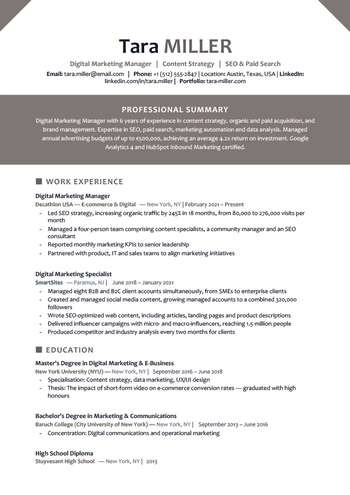
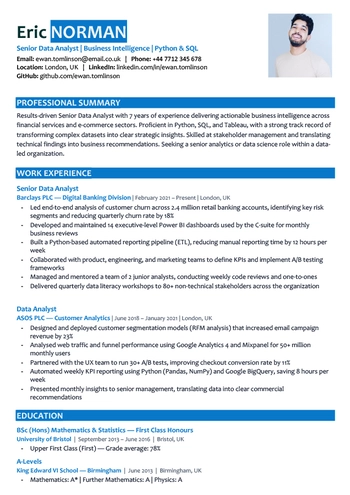
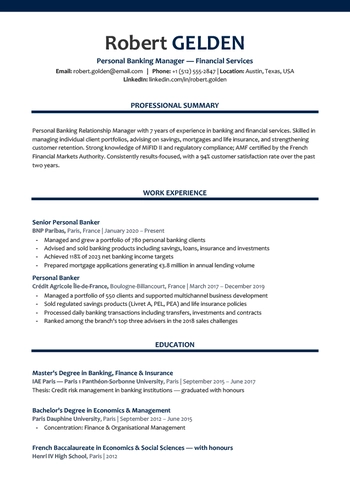
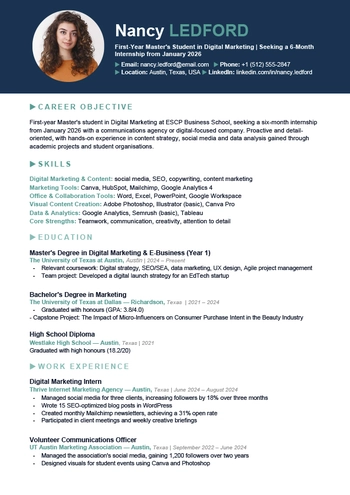
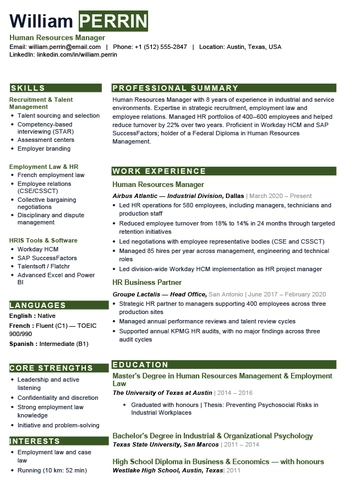
Download our free ATS-friendly CV and resume templates for Word, created for online job applications and easy editing. Each template uses clear section headings, readable fonts and a well-structured layout to help applicant tracking systems identify your work experience, skills and education. Explore professional, creative, student, with photo and two-column ATS resume templates, choose the design that fits your profile, and edit it easily in Microsoft Word.
Explore Our ATS CV/Resume Templates for Word
What Is an ATS-Friendly CV or Resume?
ATS stands for Applicant Tracking System. It is recruitment software used by employers to collect, organise and review job applications. Depending on how the system is configured, it may extract information such as your name, contact details, employment history, education, skills and certifications.
Some systems also compare the information in your CV or resume with the requirements listed in the job description. Modern recruitment platforms can identify both exact skills and related terms, but the final hiring decision still depends on recruiters and hiring managers. You can learn more from SAP’s overview of applicant tracking systems.
An effective ATS resume format usually includes:
- A clear and logical structure
- Standard section headings
- A readable professional font
- Limited use of icons and graphics
- Relevant keywords from the job description
- A reverse-chronological work history
- A Word or text-based PDF file, depending on the employer’s instructions
How to Download an ATS Resume Template
- Choose the template that best matches your profile.
- Open the page for your selected design.
- Click the Word download button.
- Find the file in your downloads folder.
- Open it in Microsoft Word.
- Replace the example text with your own information.
- Save the completed resume in Word or PDF format, depending on the application requirements.
You can change the text, fonts and colours, but keep the layout clear and easy to scan.
How to Fill Out an ATS Resume Step by Step
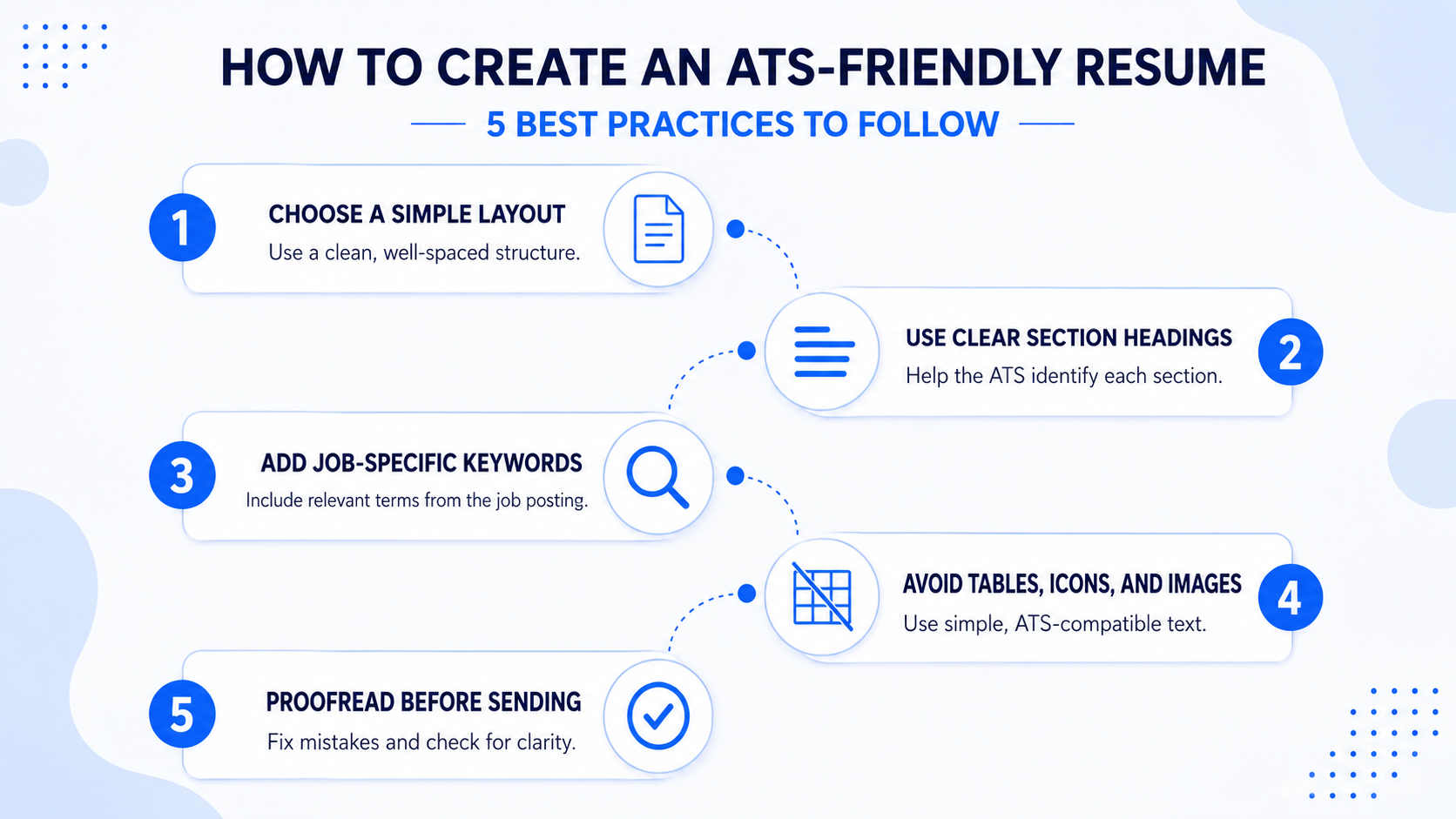
Start by reading the job description carefully. Identify the most important terms, including the required skills, software, responsibilities and job title.
Then tailor your resume using these keywords, but avoid repeating them excessively. Your content should remain natural, clear and easy to read.
Follow these best practices:
- Use standard section headings such as Work Experience, Education and Skills.
- Keep each bullet point focused on one main idea.
- Choose a standard font such as Arial, Calibri or Times New Roman.
- Use a readable font size between 10 and 12 points.
- Keep the layout clean and well spaced, without nested tables.
- Limit icons, logos and images to the essentials. Proofread the document carefully before submitting it.
An effective ATS resume should be easy for recruitment software to process and equally clear for the recruiter who reads it afterwards.
What Is the Difference Between an ATS Resume and a Regular Resume?
The main difference lies in the structure and design. An ATS resume is created to be read correctly by recruitment software before it reaches a hiring manager. It uses standard headings, a logical order, readable fonts and relevant keywords from the job description.
| Element | ATS Resume | Regular or Creative Resume |
|---|---|---|
| Main purpose | Software readability and recruiter clarity | Visual presentation |
| Layout | Simple and logically organised | May use complex or creative layouts |
| Section headings | Standard and recognisable | Can be more original |
| Columns and tables | Avoided or used carefully | Frequently used |
| Images and icons | Limited or removed | Often included |
| Keywords | Tailored to the job description | Not always optimised |
| Best use | Online job applications and career portals | Direct applications and creative roles |
| File format | Word or text-based PDF | Often PDF |
Benefits of Our Free ATS Templates
Our free ATS CV and resume templates are designed to be practical. You do not need advanced Word or graphic design skills to use them.
Simply download your preferred template, open it in Microsoft Word and replace the example content with your own information.
The main benefits include:
- Free download with no registration
- Fully editable Microsoft Word format
- Clear and professional layouts
- Well-organised resume sections
- Readable fonts and balanced spacing
- Templates for different career levels
- Easy adaptation for online applications
- Option to export the completed resume as a PDF
A prepared template also reduces formatting errors and gives you more time to improve your achievements, skills and job-specific keywords.
Frequently Asked Questions About ATS Resume Templates
What is an ATS resume?
An ATS resume is a resume structured to be read and organised correctly by Applicant Tracking Systems. It uses clear headings, relevant keywords and a straightforward layout.
Can I create an ATS resume in Microsoft Word?
Yes. Word is one of the most convenient tools for creating an ATS-friendly resume because it allows you to edit the content while maintaining a consistent structure.
Should I send my resume as Word or PDF?
Follow the instructions in the job advertisement. Submit a .doc or .docx file when Word is requested. If PDF is accepted, use a text-based PDF and confirm that the content can be selected and copied correctly.
Are these ATS resume templates really free?
Yes. All our ATS CV and resume templates are available as free Word downloads with no registration, payment or download limit.