Free CV templates for Google Docs 2026
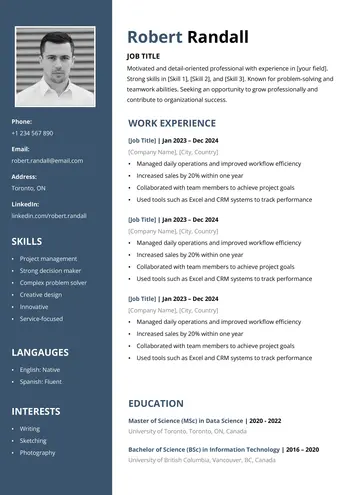
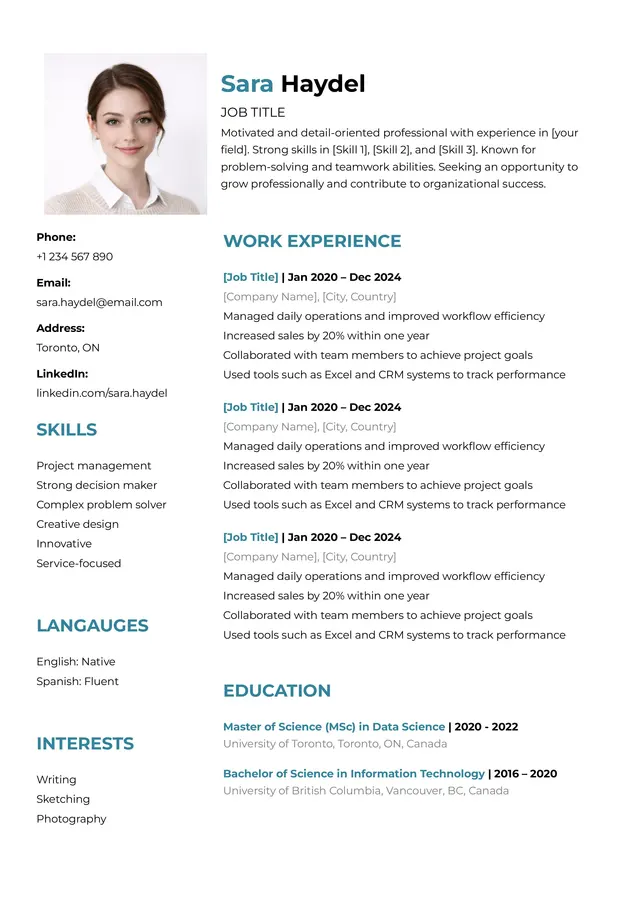
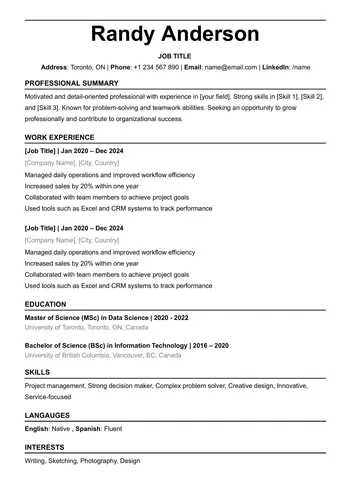
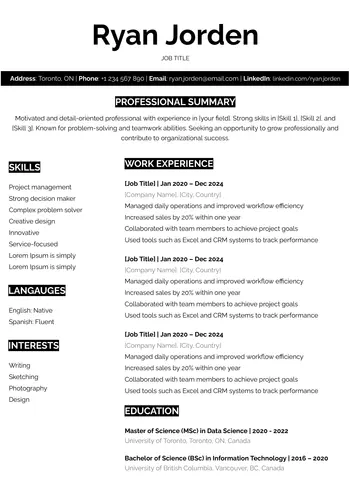
Looking for a CV without paying or downloading any external software? With just a Google account, you can access ready-to-use CV templates on Google Docs. These templates come in different designs and are fully editable, so you can customize them from any device.
Choose the template that matches your profile, edit it to fit your needs, and export it as a PDF so you can send it easily. Save time and money by downloading the Google Docs CV template that suits you best for free.




Why I Recommend Google Docs for Your CV
I’ve helped a lot of people fix their CVs over the years, and one of the most common problems I see has nothing to do with the content — it’s the tool they used to build it. Files that won’t open on a recruiter’s computer. Formatting that breaks when converted to PDF. A whole afternoon of work lost because the laptop died without saving.
Google Docs solves all of that. Your work lives in Google Drive — not on your hard drive. Open it from any device, any browser. It saves as you type. And if you ever make a change you regret, the version history takes you back to any point in time.
Here’s what I think makes a CV for Google Docs worth using:
- Saves automatically — close the tab, your work is still there. No more last-minute panics before sending.
- Version history — changed something and want to go back? Click “Version history” and pick the version you want.
- Works everywhere — Mac, Windows, Chromebook, phone. The layout looks identical on all of them.
- Exports in one click — PDF, Word (.docx), plain text. Choose your format and download.
If you don’t have Microsoft Office, or you just want something that works reliably without fuss — these free CV templates for Google Docs are a solid starting point.
How to Use These Templates — Step by Step
No registration. No design experience needed. Here’s exactly what to do:
- Choose a template from the list above. Pick based on your field or the style that fits you.
- Click the download button — this opens the file in your Google account.
- Make a copy (File → Make a copy). This creates your own editable version.
- Fill in your information — replace the placeholder text with your name, experience, skills, and education.
- Adjust colors or fonts if you want it to feel more like yours.
- Export as PDF (File → Download → PDF Document) and send it.
The whole thing takes under 30 minutes if your information is already written down somewhere.
A Few Things That Actually Matter
I’ve read a lot of CV advice, and most of it repeats the same generic tips. Here’s what I’ve actually seen make a difference:
- One font, used consistently. Switching between two or three fonts doesn’t add personality — it just looks messy. Pick one and stick with it.
- Two pages maximum. Recruiters don’t read CVs, they scan them. If your best qualifications aren’t visible in the first few seconds, they might not get seen at all.
- Match the job posting’s language. If the job description says “data analysis” and your CV says “worked with data,” an ATS might not connect them. Mirror the exact terms they use.
- Send a link when you can. Instead of attaching a file, share a view-only Google Docs link. It opens instantly in any browser and the formatting never breaks.
- Read it out loud before you send it. This catches things that spell-check misses — awkward sentences, words that are technically correct but feel off, missing words.
Google Docs vs Word: Which One Is Right for Your CV?
Both work. The question is what you actually need:
| Feature | Google Docs ✅ | Microsoft Word |
|---|---|---|
| Cost | 100% Free | Paid (subscription) |
| Access from any device | ✅ Yes (browser) | ❌ Requires installation |
| Real-time collaboration | ✅ Yes | ⚠️ Limited |
| Auto-save to cloud | ✅ Automatic | ❌ Manual / OneDrive |
| Version history | ✅ Full history | ⚠️ Limited |
| Export to PDF | ✅ One click | ✅ Yes |
| Export to Word (.docx) | ✅ Yes | ✅ Native |
| ATS-friendly output | ✅ Yes | ✅ Yes |
| Template availability | ✅ Many free templates | ⚠️ Some free |
| Offline editing | ⚠️ Requires setup | ✅ Yes |
| Best for text-based CVs | ✅ Excellent | ✅ Excellent |
Bottom line: If you already pay for Microsoft 365, Word is perfectly fine. But if you’re looking for a free CV template that works everywhere, requires nothing to install, and won’t disappear when your computer crashes Google Docs wins.
Prefer working in Word? You can browse our collection of free CV templates in Word format, same quality, different tool.
Frequently Asked Questions
Are the CV templates for Google Docs really free?
Every template on this page is free — no signup, no credit card, no “start your free trial.” The only thing you need is a Google account to make a copy of the file.
Do I need design skills to use these templates?
Not at all. Click on any text in the template and start typing. The structure, spacing, and colors are already set up. You’re just replacing the placeholder content with your own.
How do I export my CV as a PDF from Google Docs?
Go to File → Download → PDF Document (.pdf). The file saves to your device in a few seconds, and it looks exactly like what you see on screen — no layout surprises.
Can I work on my CV from my phone?
The Google Docs app (available on Android and iOS) lets you open and edit your CV from anywhere. It’s not ideal for writing a full CV from scratch, but it’s great for quick corrections before an interview.
Will these templates be readable by ATS software?
Most of them, yes. The templates I recommend use simple, clean layouts that automated systems can parse without issues. One thing to watch: don’t put important details inside images or decorative text boxes — those are often skipped entirely by ATS scanners.
Can I send a Google Docs link to a recruiter instead of a file?
That’s actually one of my favorite things about Google Docs. Click Share, set it to “Anyone with the link can view,” and paste the link in your application. The recruiter opens it in their browser — no attachment, no compatibility issues, and the formatting stays intact.
Can I download my Google Docs CV as a Word file?
Go to File → Download → Microsoft Word (.docx). Done. It opens in any version of Word and is fully editable. Useful when a company’s application portal specifically requires a .docx file.